Backstage: Portal Overview
This guide walks you through the Badal Foundations Backstage developer portal, covering authentication, navigation, and key features available to platform users.
Login
The Backstage portal is accessible at:
URL: https://backstage-778221394647.northamerica-northeast1.run.app/
Authentication Options
Backstage supports two OAuth providers:
-
GitHub OAuth -- Used as the primary identity provider. Backstage extracts your GitHub organization and team memberships to determine access and group-based features.
-
Google OAuth -- Used for GCP access within Backstage. This provider requests the following scopes:
cloud-platform.read-only-- Read access to GCP resourcescompute.readonly-- Read access to Compute Engine resources
Allowed Domains
Authentication is restricted to the following email domains:
badal.iofoundation.badal.iotelus.com
JIT User Provisioning
On your first sign-in, Backstage automatically creates a user entity in the catalog using Just-In-Time (JIT) provisioning. This means you do not need to be pre-registered -- your catalog entry is created on first authentication.
Home Page
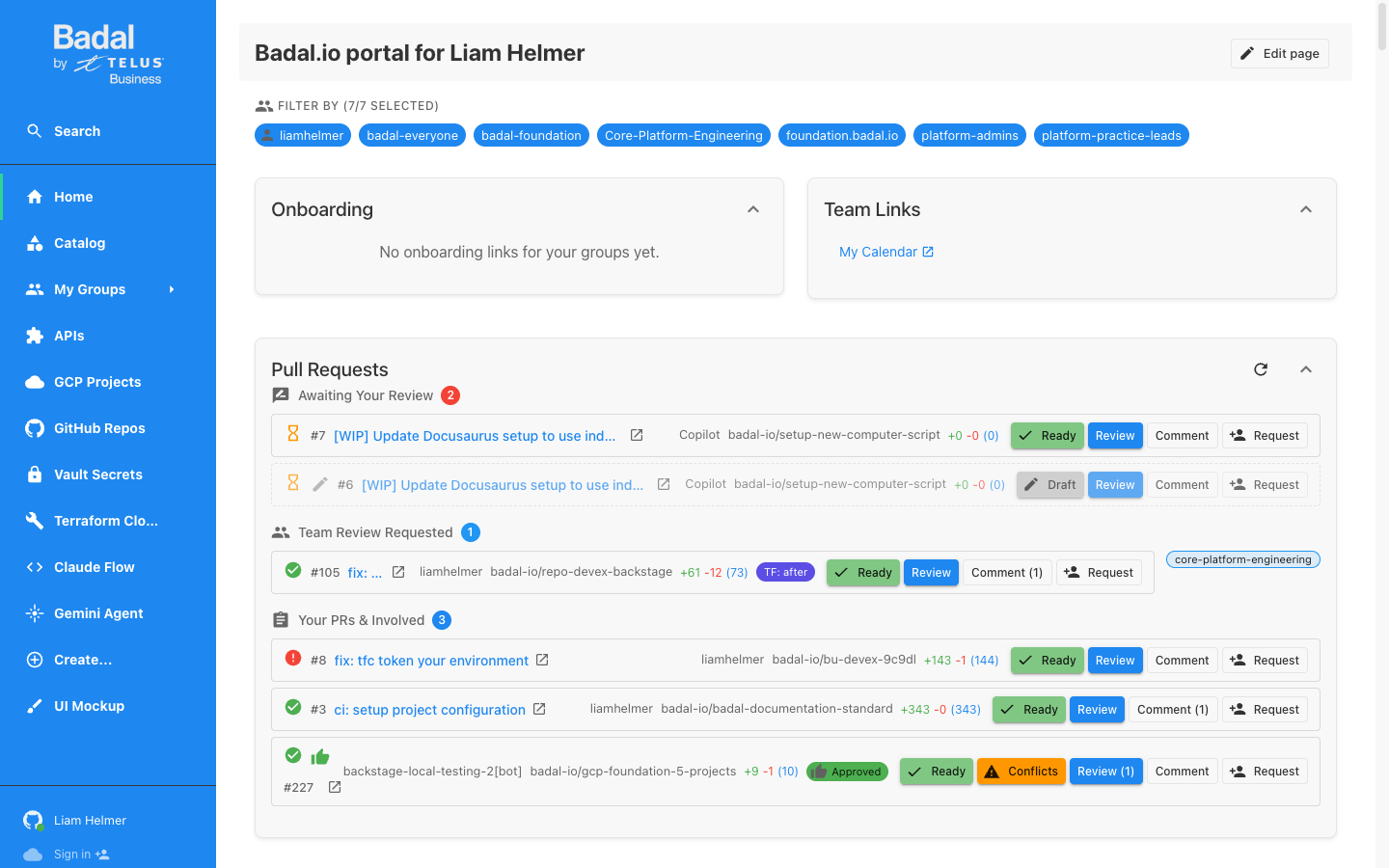
After logging in, you are presented with your personalized home page titled "Badal.io portal for [User]".
Group Filter Chips
At the top of the home page, you will see filter chips for your groups. These allow you to scope the content displayed on the home page. Common groups include:
liamhelmer(your personal group)badal-everyonebadal-foundationCore-Platform-Engineering- Other groups based on your GitHub team memberships
Onboarding Section
The onboarding section displays group-based onboarding links. The content shown here depends on which groups you belong to, providing relevant getting-started materials for your team.
Team Links Section
Quick-access links curated for your team, including documentation, dashboards, and commonly used tools.
Pull Requests Widget
The Pull Requests widget is divided into three sections:
- Awaiting Your Review -- PRs where you have been requested as a reviewer
- Team Review Requested -- PRs where your team has been requested for review
- Your PRs & Involved -- PRs you authored or are otherwise involved in
Available PR actions directly from the home page:
- Review -- Open the PR for review
- Comment -- Add a comment to the PR
- Request reviewers -- Add reviewers to the PR
Navigation Sidebar
The left sidebar provides access to all major sections of Backstage:
| Section | Description |
|---|---|
| Search | Full-text search across the catalog |
| Home | Return to the personalized home page |
| Catalog | Browse all registered components, systems, APIs, and resources |
| My Groups | View groups you belong to |
| APIs | Browse registered API definitions |
| GCP Projects | Quick access to GCP project components |
| GitHub Repos | Browse discovered GitHub repositories |
| Vault Secrets | Manage HashiCorp Vault secrets |
| Terraform Cloud | View Terraform Cloud workspaces and state |
| Claude Flow | AI workflow orchestration with Claude |
| Gemini Agent | AI-powered development assistant |
| Create... | Scaffolder templates for creating new resources |
| UI Mockup | Drag-and-drop dashboard builder |
At the bottom of the sidebar, you will find your user info and Sign In buttons for the OAuth providers.
Catalog
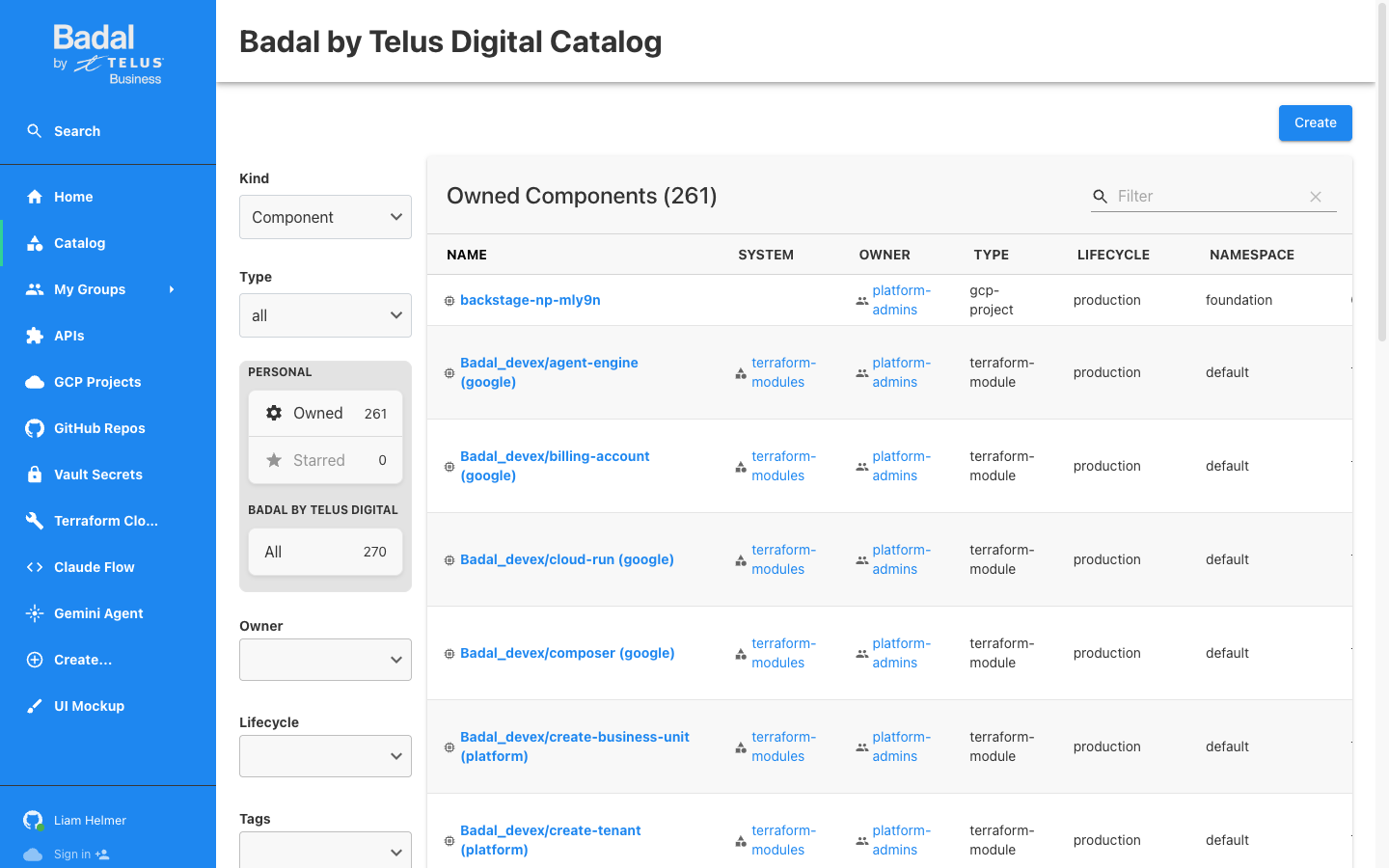
The catalog is the central registry of all components, systems, APIs, and resources in the organization.
Key Statistics
- 261+ owned components in the catalog
- 270+ total components across the organization
Filtering
The catalog supports filtering by:
- Kind -- Component, System, API, Resource, Location, Template, User, Group
- Type -- gcp-project, terraform-module, service, website, and more
- Owner -- Filter by owning team or user
- Lifecycle -- production, experimental, deprecated
- Tags -- Custom tags applied to entities
Auto-Discovery
Catalog entities are automatically discovered from two primary sources:
- GitHub Repositories -- All repositories in the
badal-ioorganization are scanned forcatalog-info.yamlfiles - Terraform State -- Terraform Cloud workspaces and GCS state buckets are scanned to discover GCP resources
Discovery frequency:
- Non-production: Every 5 minutes
- Production: Every hour
Component Types
Components in the catalog include:
- GCP Projects (
type: gcp-project) -- Discovered from Terraform state - Terraform Modules (
type: terraform-module) -- Discovered from GitHub repositories - Standard Backstage types: service, website, library, and others
Gemini Agent Page
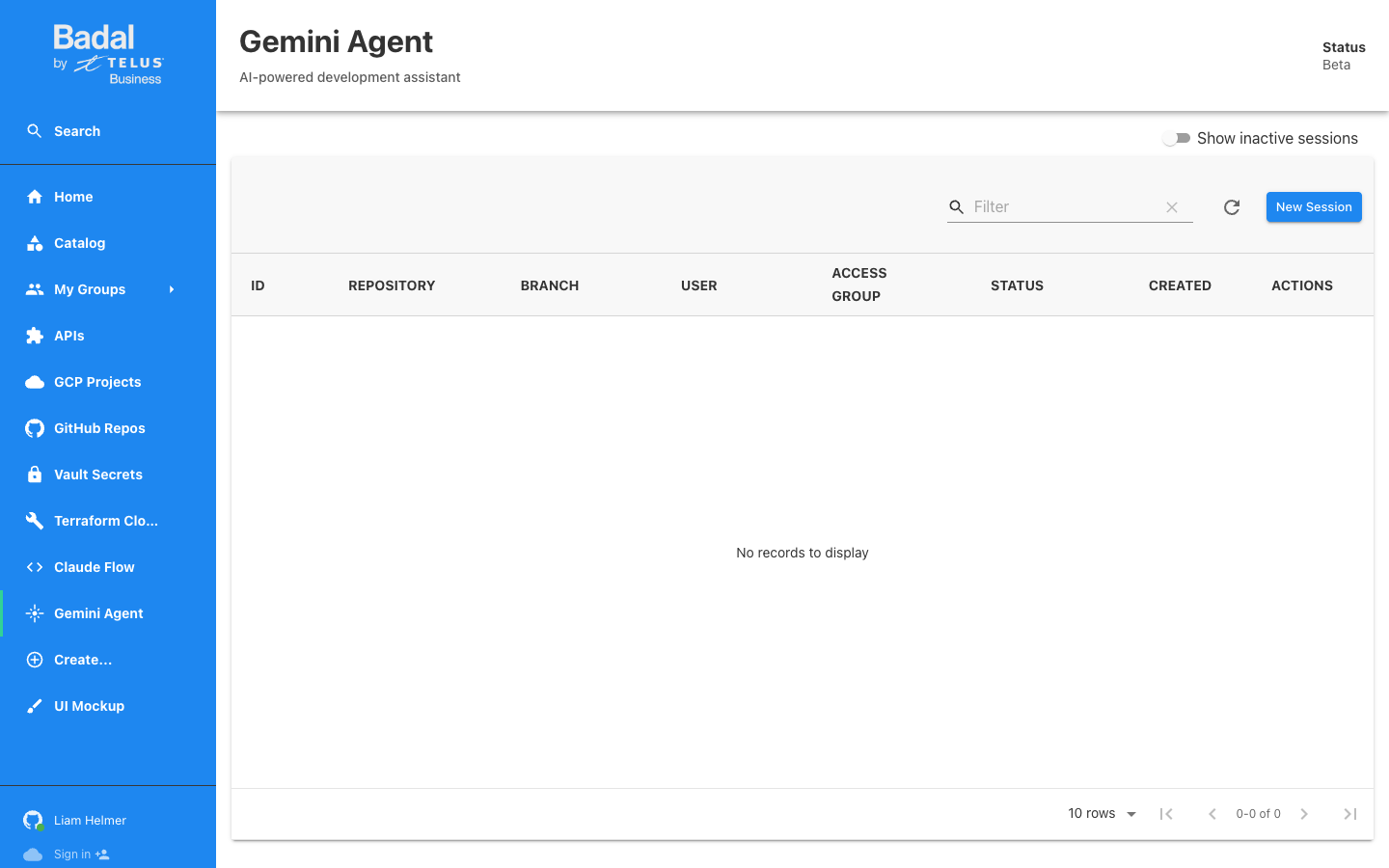
The Gemini Agent provides an AI-powered development assistant directly within Backstage.
Overview
- Currently in Beta
- Each agent session creates a dedicated Cloud Run service for isolation
- Uses the
gemini-agentCloud Run service with KMS-signed authentication
Sessions Table
The sessions table displays all agent sessions with the following columns:
| Column | Description |
|---|---|
| ID | Unique session identifier |
| Repository | The GitHub repository the agent is working with |
| Branch | The branch the agent is operating on |
| User | The user who created the session |
| Access Group | The group-based access level for the session |
| Status | Current session status (running, stopped, etc.) |
| Created | Timestamp of session creation |
| Actions | Available actions (open, stop, delete) |
Creating a New Session
Click the "New Session" button to start a new agent instance. You will be prompted to select a repository and branch for the agent to work with.
UI Mockup Page
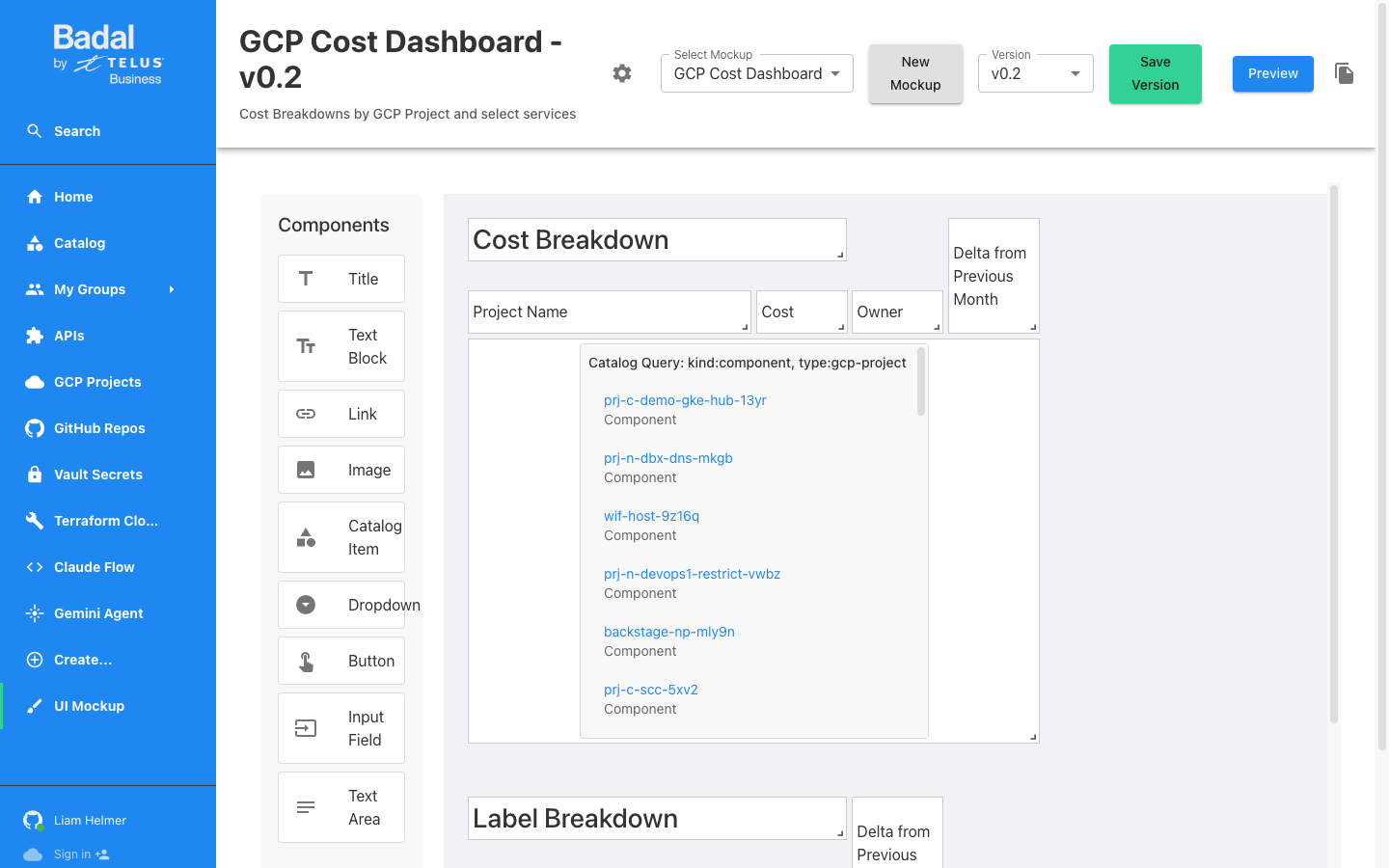
The UI Mockup page provides a drag-and-drop dashboard builder for creating and previewing custom dashboards.
Features
- Drag-and-drop interface for building dashboards
- Versioned mockups -- Save and iterate on designs
- Preview mode -- See how the dashboard will look to end users
- New Mockup button for creating fresh dashboards
Example
The page includes an example mockup: "GCP Cost Dashboard v0.2", demonstrating the capabilities of the builder.
Components Palette
The following components are available for building dashboards:
| Component | Description |
|---|---|
| Title | Heading text for sections |
| Text Block | Free-form text content |
| Link | Clickable links to external or internal resources |
| Image | Embedded images |
| Catalog Item | Live data from the Backstage catalog |
| Dropdown | Selection menus |
| Button | Action buttons |
| Input Field | Text input fields |
| Text Area | Multi-line text input |
Catalog Integration
Components can query the Backstage catalog directly. For example, a Catalog Item component can be configured to display entities matching kind:component, type:gcp-project, providing live infrastructure data within your mockup dashboards.
Create Templates
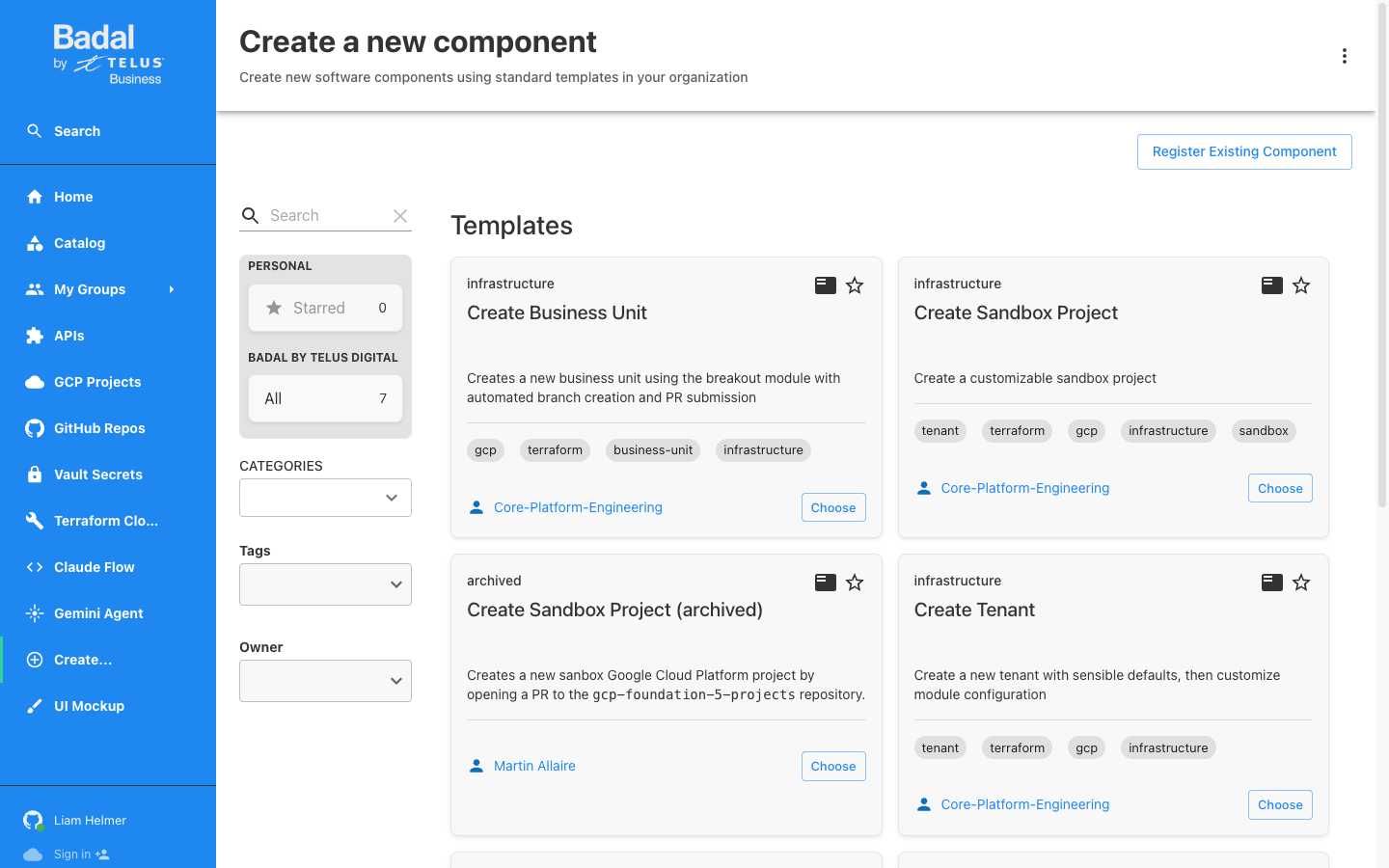
The Create section provides scaffolder templates for provisioning new infrastructure and resources.
Available Templates
There are 7 templates available, organized by type:
Infrastructure Templates
| Template | Description | Tags |
|---|---|---|
| Create Business Unit | Provision a new business unit with GCP folders, WIF project, and GitHub repo | gcp, terraform, business-unit, infrastructure |
| Create Tenant | Create a new tenant within an existing business unit | gcp, terraform, tenant, infrastructure |
| Create Sandbox Project | Spin up a customizable sandbox GCP project | gcp, terraform, sandbox, infrastructure |
Archived Templates
Additional templates may be available in the archived section for reference or re-activation.
Template Ownership
All templates are owned by the Core-Platform-Engineering team.
Common Tags
Templates are tagged with relevant labels for discoverability:
gcpterraformbusiness-unitinfrastructuretenantsandbox